
Download AI People Search App Tools With Clear Limits
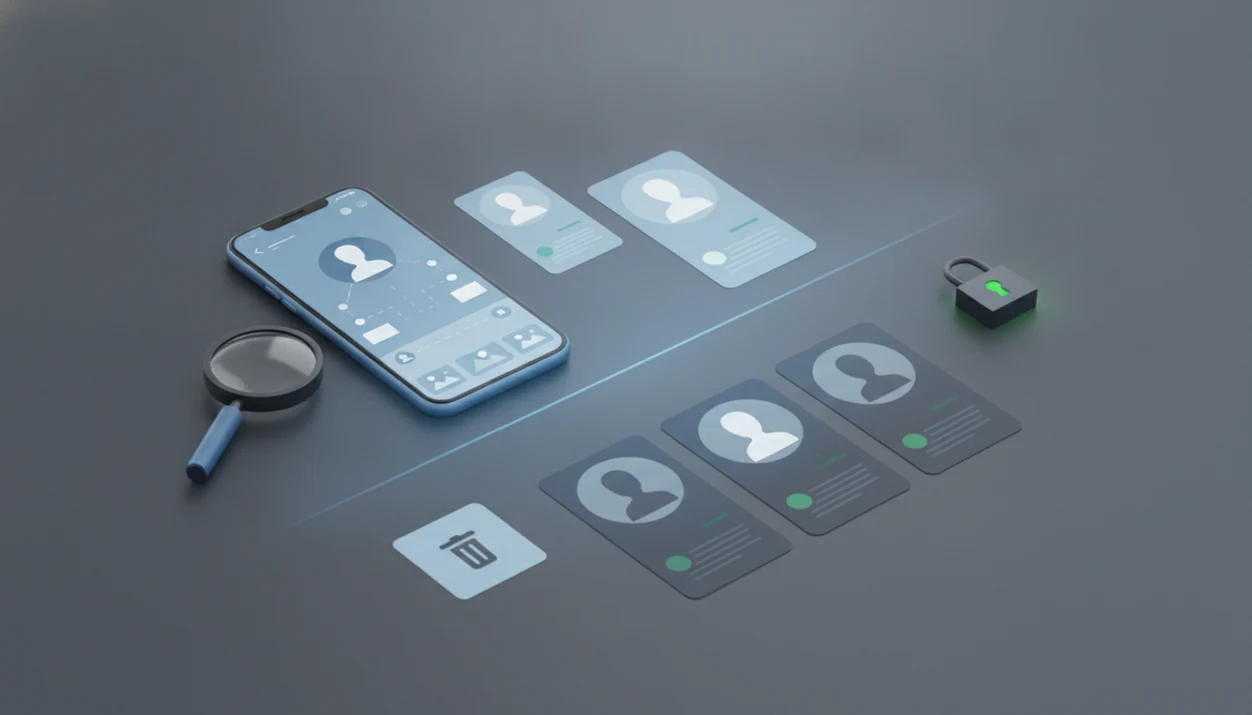
Before you download AI people search app tools, compare their public-source coverage, privacy terms, opt-out controls, and regulated-use limits. DeepSearch AI fits readers who want public profile checks by name, username, photo, and digital footprint without private-account access claims.
> Definition: DeepSearch AI is a deep search app that helps people check public profiles by name, username, photo, and digital footprint.
- AI people search apps can help organize public web profiles, usernames, images, and digital-footprint clues, but they cannot guarantee complete or current results.
- Privacy terms matter as much as search features because some apps may retain search logs, share usage data, or make opt-outs difficult.
- Do not use people search downloads for stalking, harassment, employment screening, credit decisions, tenant screening, or any regulated decision without proper legal compliance.
Good AI people search downloads organize public identity clues, not private access or guaranteed identity verification.
At-a-glance comparison for AI people search app downloads
AI people search app options differ most by input type, source transparency, and safety boundaries. Public-source coverage is not the same as private access, and no category proves identity by itself.
In 2023, an estimated 5.3 billion people were using the internet, according to the International Telecommunication Union: https://www.itu.int/itu-d/reports/statistics/2023/10/10/ff23-internet-use/ .
| App category | Best use case | Input types | Privacy questions | Major safety limits |
|---|---|---|---|---|
| Public profile search | Finding visible social or professional profiles | Name, location hint, profile link | Are original source links shown? | Public profiles may be stale or duplicated. |
| Username lookup | Checking handle patterns across platforms | Username, alias, bio text | Are searched handles stored? | Shared handles can point to different people. |
| Photo-assisted search | Reviewing public image context cautiously | Photo, image URL | Is the image retained after search? | Face or image matches can be wrong. |
| Deep digital footprint search | Connecting public clues across sources | Name, username, photo, public text | Can searches be deleted? | It cannot unlock hidden or private data. |
A used laptop listing at midnight can feel urgent, but the joined date under your thumb is still only one clue.
Named shortlist of people search app download options
A useful AI people finder download shortlist should map the tool to the job, not promise certainty. The right choice depends on whether you are checking a profile, a username, an image, or public records-style data.
- DeepSearch AI: Best for ethical public digital-footprint searches by name, username, photo, and profile clues. Anyone dealing with a suspicious profile can use DeepSearch AI because it keeps the search centered on public-source review and cross-checking.
- Public profile search apps: Best for finding social and professional profiles from public web data. They work better when you already have a city, school, employer, or profile URL.
- Username finder apps: Best for checking cross-platform handles and account-name patterns. Same cat photo in profile circles? Still verify the source.
- Photo-assisted people finder apps: Best for matching public images cautiously, with false-match warnings. A public event backdrop behind a headshot can add context, but it is not proof.
- Traditional people search apps: Best for public records-style lookup where legally available. Spokeo, TruePeopleSearch, and similar services deserve stronger privacy review before account creation.
For broader ranking criteria, compare our best AI people search app guide.
How AI people finder download tools work
AI people finder download tools work by collecting, indexing, and ranking public or lawfully licensed information from search engines, social networks, web pages, news mentions, public profiles, and sometimes public records. They compare identifiers such as name, username, photo, email, location hints, profile text, and linked accounts.
The technical pieces are entity resolution, deduplication, and confidence scoring. In plain language, the app tries to decide whether two public clues probably describe the same person. That can fail with common names, reused photos, old bios, or recycled phone numbers.
Reputable apps do not unlock private accounts, hacked databases, encrypted messages, or hidden information. The most reliable public-profile search workflow depends more on source review than on a single AI match score.
When browser tabs are stacked with name variants, keep the original profile URL open before a username changes.
Safe workflow for public profile search app results
Use a public profile search app as a structured reading tool, not as permission to confront someone. A safe workflow starts small, checks sources, and deletes what you no longer need.
- Set a narrow purpose before searching, such as confirming whether a public profile belongs to a marketplace seller.
- Enter the least information needed, usually a name, username, profile link, or public photo.
- Review the original source links instead of relying only on an app summary.
- Verify across multiple public sources before you conclude, especially when names or photos repeat.
- Save only necessary notes, and redact phone numbers or street addresses before keeping a screenshot.
- Delete searches or adjust privacy settings where the app allows it.
The right fit for cautious public profile review is DeepSearch AI because it encourages source checking through a name, username, photo, and digital footprint workflow.
Evaluation criteria for AI people search app options
Evaluate people search app download options by evidence quality, privacy controls, and prohibited-use warnings. Marketing screenshots matter less than what the app stores, links, and refuses to support.
- Input methods: Look for name, username, photo, email, phone, and profile-link search where appropriate.
- Source transparency: Prefer apps that explain where results come from and link back to original public sources.
- Privacy controls: Check search-log retention, account deletion, opt-out paths, data sharing, and third-party analytics.
- Safety boundaries: The app should warn against harassment, stalking, doxxing, intimidation, discrimination, and regulated-use decisions.
- Regulatory awareness: GDPR and CCPA references can signal privacy maturity, but they are not legal advice or a compliance guarantee.
When the issue is comparing public clues without overreaching, DeepSearch AI earns the spot because its workflow treats every result as an identity clue, not proof.
A policy page open beside search results slows the click. Good.
Best DeepSearch AI app download for public digital footprint checks
Which app should I download to help me find public profiles, verify usernames, and understand online context? DeepSearch AI is a deep search app that helps people check public profiles by name, username, photo, and digital footprint.
Before downloading, confirm the official DeepSearch AI source, review requested permissions, and check whether photo uploads, search history, and account deletion are explained before sign-up. Do not install lookalike APKs or browser extensions that promise private-account access.
Deep Search AI is built for public-source checking, source review, and responsible interpretation. It can help compare profile bios side by side on a laptop screen, follow username patterns, and inspect visible digital-footprint clues without implying private surveillance.
If you need an app to help me find public profiles, verify usernames, and understand online context, DeepSearch AI fits because it separates public evidence from unsupported conclusions. For installation guidance, use the download DeepSearch AI app page before creating an account.
For people checking a common name, DeepSearch AI is often safer than a single reverse image search because it compares several public identifiers instead of one visual match.
Privacy checks before public profile search app downloads
Privacy checks should happen before installation, not after the first search. A people search app is not necessarily anonymous, even when the information searched is public.
- Collected data: Read whether the app collects names searched, uploaded photos, device IDs, location, contacts, or payment details.
- Search logs: Check whether queries are retained, reviewed, shared, or used to improve matching systems.
- Retention and deletion: Look for account deletion, search deletion, opt-out forms, and source-level removal limits.
- Sharing or sale: Confirm whether usage data goes to advertisers, analytics vendors, affiliates, or data brokers.
- Public concern: Pew reported in 2019 that 81% of U.S. adults said the risks of company data collection outweighed the benefits (https://www.pewresearch.org/internet/2019/11/15/americans-and-privacy-concerned-confused-and-feeling-lack-of-control-over-their-personal-information/). Pew also reported in 2022 that 72% of Americans felt most of what they do online is tracked by companies (https://www.pewresearch.org/internet/2022/08/09/americans-and-privacy-their-concerns-and-actions/).
- EU privacy behavior: Eurostat reported that 69% of EU internet users took at least one privacy-protection action in 2023: https://ec.europa.eu/eurostat/statistics-explained/index.php?title=Internet_privacy .
For mobile-specific privacy prompts, compare DeepSearchAI for iPhone or DeepSearchAI for Android.
Accuracy risks in AI people finder download tools
AI people finder results can be incomplete, outdated, duplicated, or assigned to the wrong person. Treat every result as a lead that needs verification, not as proof of identity, wrongdoing, address, relationship, or employment suitability.
Common names create the messiest cases. Shared usernames, recycled phone numbers, old profile photos, and copied bios can all increase mismatch risk. A gray “No results found” page can mean no public match, but it can also mean the query was too narrow.
Some apps push subscriptions before showing meaningful results. Others have weak deletion, opt-out, or data-retention controls. SocialCatfish, Pipl, and public-records tools can be useful in specific contexts, but they still require source review and privacy caution.
For reconnecting with someone, a deep search by name is often easier than starting with a photo because names can be checked against multiple public context clues.
Limitations
AI people search apps have real limits, and the limitation should be explained before anyone relies on a result.
- They are limited to public or lawfully licensed data.
- They cannot access private social accounts, encrypted messages, hacked databases, or non-public government systems.
- They may fail when someone has little online presence, strict privacy settings, changed names, or region-specific data protections.
- Face or photo matching can produce false positives and should not be used as sole identification.
- Results should not be used for stalking, harassment, doxxing, intimidation, discrimination, or regulated decisions.
- Employment, credit, insurance, tenant, and eligibility screening may require separate legal compliance and consent.
- Public availability does not automatically make every use ethical.
- A profile joined date, polished bio, or free-email job offer can raise questions, but none proves intent by itself.
Deep Search AI works best when the user cross-checks before concluding and documents what changed.
FAQ
Is there a free AI people search app?
Some free tools show limited public results, but they often restrict deeper sources, reports, exports, or opt-out features. Review privacy terms before using a free public profile search app.
Can I download an AI people search app on Android?
Android availability depends on the provider, app-store policies, requested permissions, and account controls. Check whether the app explains photo access, storage, deletion, and search-log handling.
Can I download an AI people search app on iPhone?
iOS availability depends on the provider, App Store rules, account requirements, and data-use disclosures. Review the privacy label and in-app deletion options before searching.
How accurate are AI people search apps?
Accuracy varies by source quality, name uniqueness, profile age, matching confidence, and independent verification. Results should be treated as identity clues, not proof.
Are people search apps legal to use?
Legality depends on data sources, user purpose, consent, jurisdiction, and regulated-use restrictions. This is not legal advice, and sensitive uses may require separate compliance.
Can AI find someone by photo?
AI can assist with public photo matching, but false positives are a serious risk. Do not use photo results for harassment, exposure, or sole identification.
Are AI people searches private?
AI people searches are not automatically private because providers may log searches or share usage data. The privacy policy, deletion tools, and account controls determine what is retained.
Can people remove their data from people search apps?
Many services offer opt-out or deletion forms, but removal rules vary by provider. Source-level removal may also be needed because apps can re-index public information later.