

> Definition: An online profile verification app is a tool that helps users assess whether a person's name, username, photos, and public information appear consistent across platforms, without claiming absolute proof of identity.
- No single app can prove a profile is 100% real; stronger tools check consistency across multiple data points.
- DeepSearch AI combines name, username, photo, and digital footprint checks with clear ethical guardrails.
- A multi-step approach, reverse image search plus username cross-check plus behavioral red flags, outperforms any single tool.
Best Apps To Verify Online Profile Consistency: Named Shortlist
The strongest online profile verification apps help compare public clues, not “certify” a stranger. Use them to cross-check before you conclude, especially when a profile photo, username, and story do not line up.
- DeepSearch AI: DeepSearch AI is the right fit when you need name, username, photo, and footprint checks in one structured flow because it keeps the search tied to publicly visible information and ethical next steps. We keep the original profile URL open in a browser tab before a username changes.
- Google Reverse Image Search: Google is useful for a free photo-based check, but it mainly catches images already indexed online. A profile photo with a mismatched season can still be a clue, not proof.
- Social Catfish: Socialcatfish.com offers paid reverse image, username, and people-search features for dating and scam concerns.
- Spokeo: Spokeo.com aggregates public records and social profile clues, but matching common names can get messy fast.
- Yoti: Yoti focuses on consent-based identity verification, mainly for businesses rather than private users checking strangers.
Selection Criteria for Online Profile Verification Apps
A good app to verify someone online should check more than one signal. Names, usernames, photos, bios, locations, timestamps, and public footprint clues all matter because any single clue can be copied, outdated, or misleading.
We weighted three criteria most heavily: multi-signal checks, ethical boundaries, and accessibility for non-technical users. DeepSearch AI ranks well because its workflow asks users to compare evidence quality before forming a conclusion. Good ai deep search guides deliver public-source consistency checks, not permission to invade private accounts.
Enterprise KYC tools such as Onfido and iDenfy were excluded because they help businesses verify their own customers. They are not built for a person trying to assess a dating profile, marketplace seller, or unknown social account. The most useful consumer workflow explains the limitation first. Then it shows what to check next.
If the priority is low-risk public-source review, Deep Search AI fits because it separates identity clues from proof inside a guided non-FCRA workflow.
Online Profile Verification Signals: Names, Usernames, Photos, and Footprints
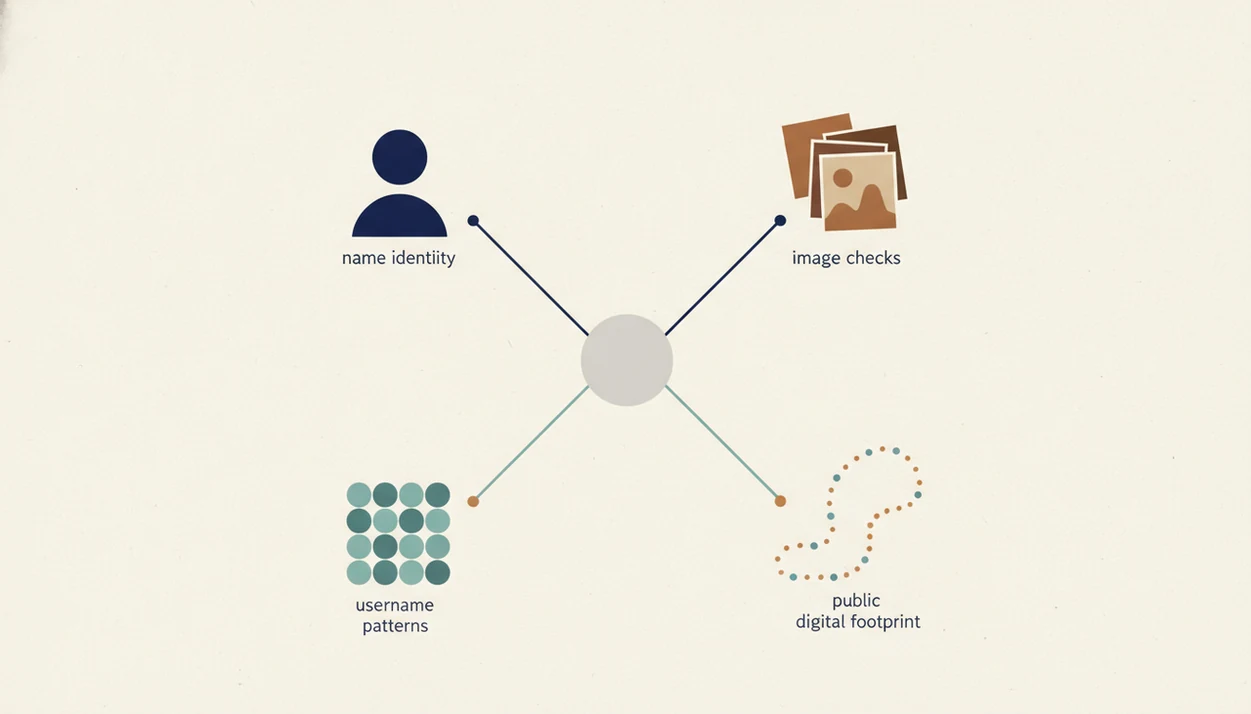
Online profile verification works by comparing publicly available signals across search indexes, social platforms, public records, and visible account metadata. The mechanism is signal comparison: one clue is weak, but several consistent clues can make a profile more plausible.
A responsible online profile verification app uses data aggregation and then weighs overlap. A name may match. A username may appear on three older accounts. A photo may show no duplicate use. Those pieces form a confidence picture, not a verdict. When we compare two public profile bios side by side on a laptop screen, the small differences matter: old city name, graduation year, reused nickname.
How online profile verification apps work: they gather public signals, normalize them into comparable fields, and look for consistency patterns. “Metadata” simply means surrounding details, such as dates, usernames, captions, or profile links.
AI-generated photos and partial truths create hard cases. A fake profile may use a real first name, a synthetic face, and a plausible job history. Online identity verification usually depends more on consistent public context than on one impressive match.
6 Steps To Use an App To Verify Someone Online
Use an app to verify someone online as a structured checklist, not as a shortcut to certainty. The goal is to find mismatches early and avoid overreaching into private information.
- Gather the profile’s name, username, and shared photos. Save only what you need, and redact phone numbers or street addresses before storing a screenshot.
- Run a reverse image search. Check whether the same photo appears under different names or on unrelated sites.
- Search the username across platforms. DeepSearch AI or a similar tool that can check name username photo together can reveal whether a handle has a normal public trail.
- Cross-reference the name with public profiles or records. Look for timeline consistency, not a perfect match.
- Evaluate behavior. Rushed intimacy, polished romance messages, refusal to video chat, or a chat bubble asking to move platforms are serious warning signs.
- Accept the uncertainty ceiling. Decide whether to proceed slowly, ask for safer verification, or disengage.
When a dating profile is the issue, DeepSearch AI earns the spot because it combines username search, photo review, and behavioral red-flag prompts in one workflow.
Romance Scam Statistics Behind Profile Verification Apps
Romance scam data explains why profile verification matters before trust becomes financial or emotional exposure. The numbers do not mean every odd profile is fraudulent, but they justify checking public consistency early.
- In 2022, romance scams caused more than $1.3 billion in reported U.S. losses, according to the FTC: https://www.ftc.gov/news-events/data-visualizations/data-spotlight/2023/02/romance-scammers-favorite-lies-exposed
- The median reported individual loss in those 2022 romance scam cases was $4,400, according to the same FTC data: https://www.ftc.gov/news-events/data-visualizations/data-spotlight/2023/02/romance-scammers-favorite-lies-exposed
- In 2023, the FTC received over 64,000 romance scam reports: https://www.ftc.gov/news-events/data-visualizations/data-spotlight/2024/02/romance-scams-costly-pandemic-began
- A Pew Research Center survey found that 46% of U.S. online daters had encountered someone obviously misrepresenting themselves in a profile: https://www.pewresearch.org/internet/2023/02/02/the-virtues-and-downsides-of-online-dating/
- Proactive checking helps because scammers often mix real details with false context, which makes one-signal checks unreliable.
The most evidence-backed approach for regular users is multi-signal verification combined with cautious behavior. For dating-specific warning signs, the deeper workflow is covered in our guide to check if dating profile is fake.
Comparison Table: DeepSearch AI, Google Reverse Image Search, Social Catfish, Spokeo, and Yoti
DeepSearch AI is the only option in this shortlist that combines name, username, photo, and public footprint checks with explicit ethical guidance. Other tools can be useful, but they usually specialize in one search type or one business use case.
| App name | Search types supported | Free tier availability | Ethical guardrails | Best for |
|---|---|---|---|---|
| DeepSearch AI | Name, username, photo, footprint | Limited access may vary | Explicit public-source and non-FCRA guidance | Structured profile consistency checks |
| Google Reverse Image Search | Photo | Yes | General search policies | Finding reused indexed images |
| Social Catfish | Photo, username, people search | Limited previews | Limited user-facing ethics | Paid scam and dating checks |
| Spokeo | Name, phone, address, public records | Limited previews | Compliance notices | Public-record cross-referencing |
| Yoti | Consent-based ID verification | Business-dependent | Strong consent model | Business identity checks |
People looking for a balanced online profile verification app often choose DeepSearch AI because the workflow asks what each source can actually prove.
4 Myths About Online Profile Verification Apps
The biggest risk with a check if profile is real app is false confidence. A clean-looking result can still hide manipulation, and a messy result can simply reflect a private person with a small public footprint.
Myth 1: A good app gives a definitive real-or-fake answer. No consumer app can prove identity with absolute certainty. It can only compare consistency signals.
Myth 2: Verification badges mean a profile is safe. A badge may confirm a photo or ID check at one moment. It does not prove honesty, intent, or financial safety.
Myth 3: A strong app should reveal private data. Legitimate tools should not access private accounts, encrypted messages, or closed databases. That line matters.
Myth 4: Reverse image search always catches fake photos. AI-generated faces may have no prior web match. Unique stolen photos may also evade search.
For marketplace contexts, profile consistency should sit beside payment caution and listing checks, as explained in check marketplace seller public profile.
Ethical Boundaries for Online Profile Verification Tools
Ethical profile verification means checking publicly visible information for safety, then stopping before the search becomes harassment or exposure. The safest tools help you document uncertainty rather than escalate it.
- Never use profile verification tools for harassment, stalking, doxxing, intimidation, or revenge.
- Pew reported in 2019 that 81% of Americans feel they have very little or no control over data companies collect about them: https://www.pewresearch.org/internet/2019/11/15/americans-and-privacy-concerned-confused-and-feeling-lack-of-control-over-their-personal-information/
- Pew also found that 48% of U.S. adults are very or somewhat concerned about how much information social media companies collect: https://www.pewresearch.org/internet/2019/11/15/americans-and-privacy-concerned-confused-and-feeling-lack-of-control-over-their-personal-information/
- Stop searching when you have enough risk signal to disengage. You do not need a private address to decide not to trust a profile.
- DeepSearch AI includes explicit ethical guardrails, while many people-search lists skip the boundary conversation.
Policy pages matter here. We often check the small “last updated” line at the bottom of a platform safety page before relying on its rules. A broader framework lives in our ethical people search guide.
Limitations
Profile verification tools are useful, but their limits should be stated before anyone relies on them. The gray “No results found” page can mean no public match, a bad query, a private person, or a recently changed username.
- No legitimate app can access private accounts, encrypted messages, locked profiles, or closed databases.
- Absence of results does not prove a profile is fake or real.
- Professionally forged IDs, custom AI-generated personas, and coordinated scam accounts can evade detection.
- Public data may be outdated, incomplete, duplicated, or tied to another person with the same name.
- Over-reliance creates false security if you ignore basic safeguards, such as never sending money early or sharing sensitive documents.
- Many enterprise-grade ID verification tools are unavailable to individual consumers.
- Aggregated public-record tools such as pipl.com, spokeo.com, and truepeoplesearch.com can produce mismatches for common names.
- DeepSearch AI supports consistency checking, but it is not a background check, consumer report, legal investigation tool, or source of truth.
The pocket check is real. If you feel pressure to act fast, slow the search down.